

Every drive, written down as it happens
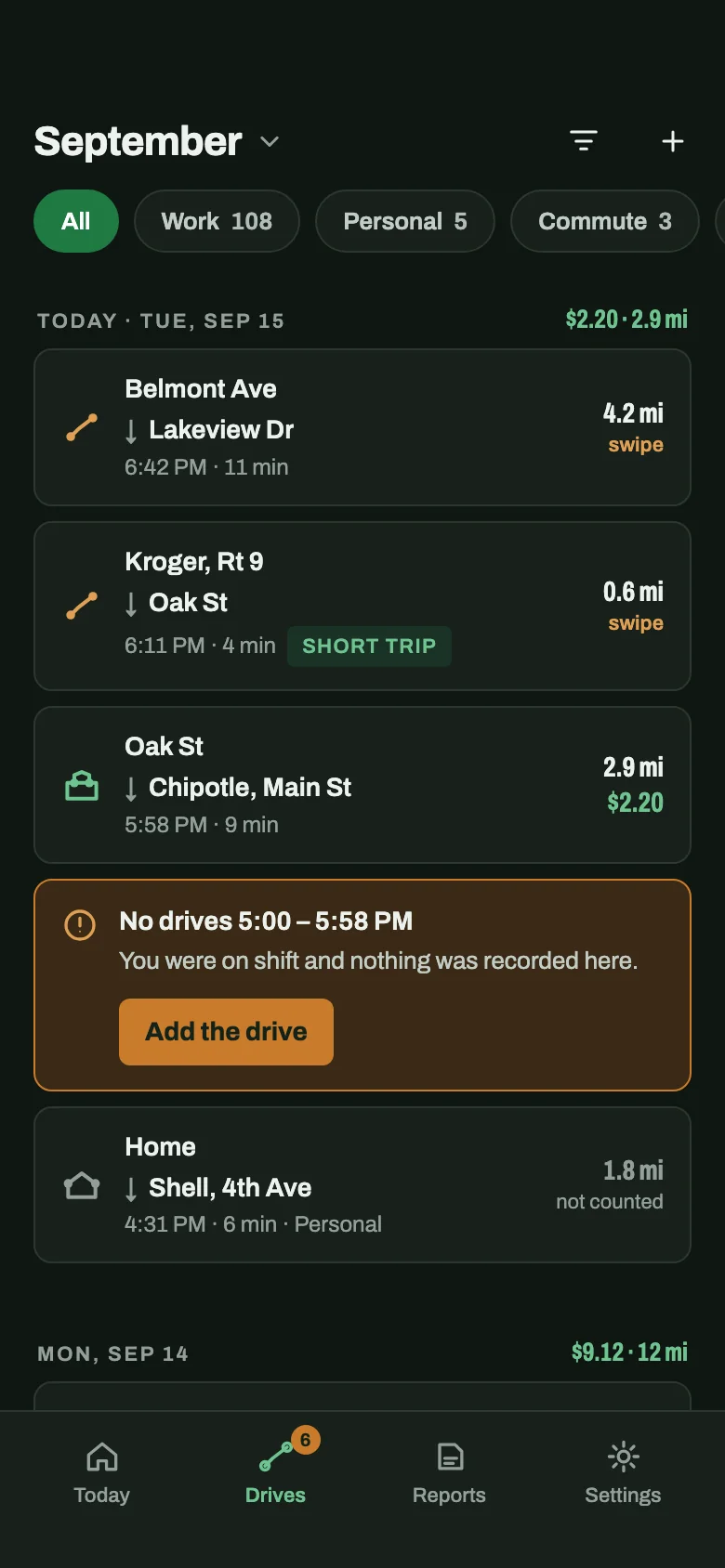
Date, start and end address, time and distance — for the drive to the hotspot as much as the drive to the customer. Nothing to start, nothing to stop.
Automatic mileage tracker for gig drivers
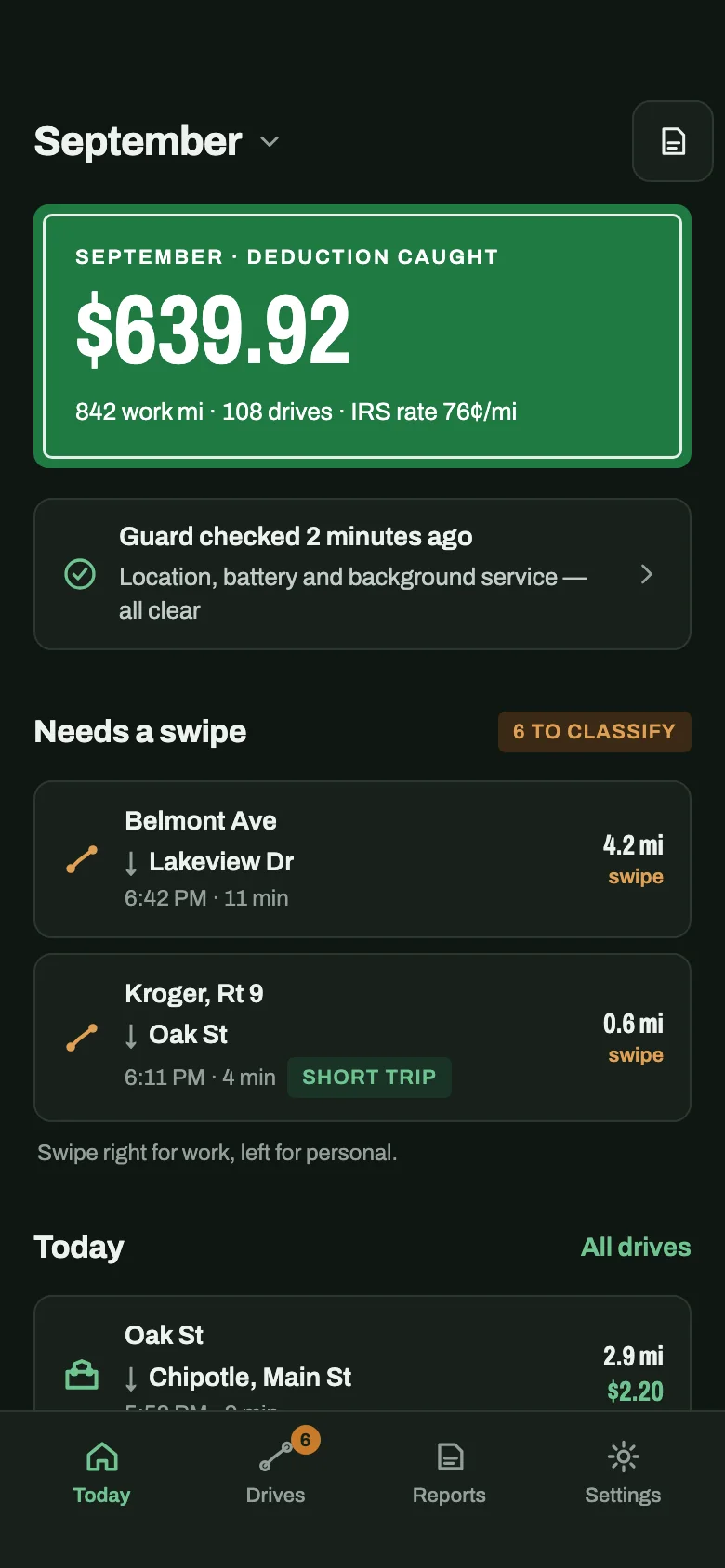
No start button, no end button, nothing to remember between orders. CatchMile records each drive in the background and turns your work miles into a tax deduction — 76¢ for every mile at the IRS rate for July–December 2026.
iPhone and Android · free for your first 40 drives
Built for the way delivery and rideshare drivers actually work
How it works
A mileage log only works if it's complete — and nobody remembers to press start between two orders. So there is nothing to press.

From then on drives are detected in the background. You never open CatchMile to start a trip; the start is written back from the moment you pulled away, and the GPS only switches on once you're moving.
The drive to the hotspot, between orders and back home — each one with date, addresses and distance. Swipe it Work, Personal or Commute whenever you have a minute.
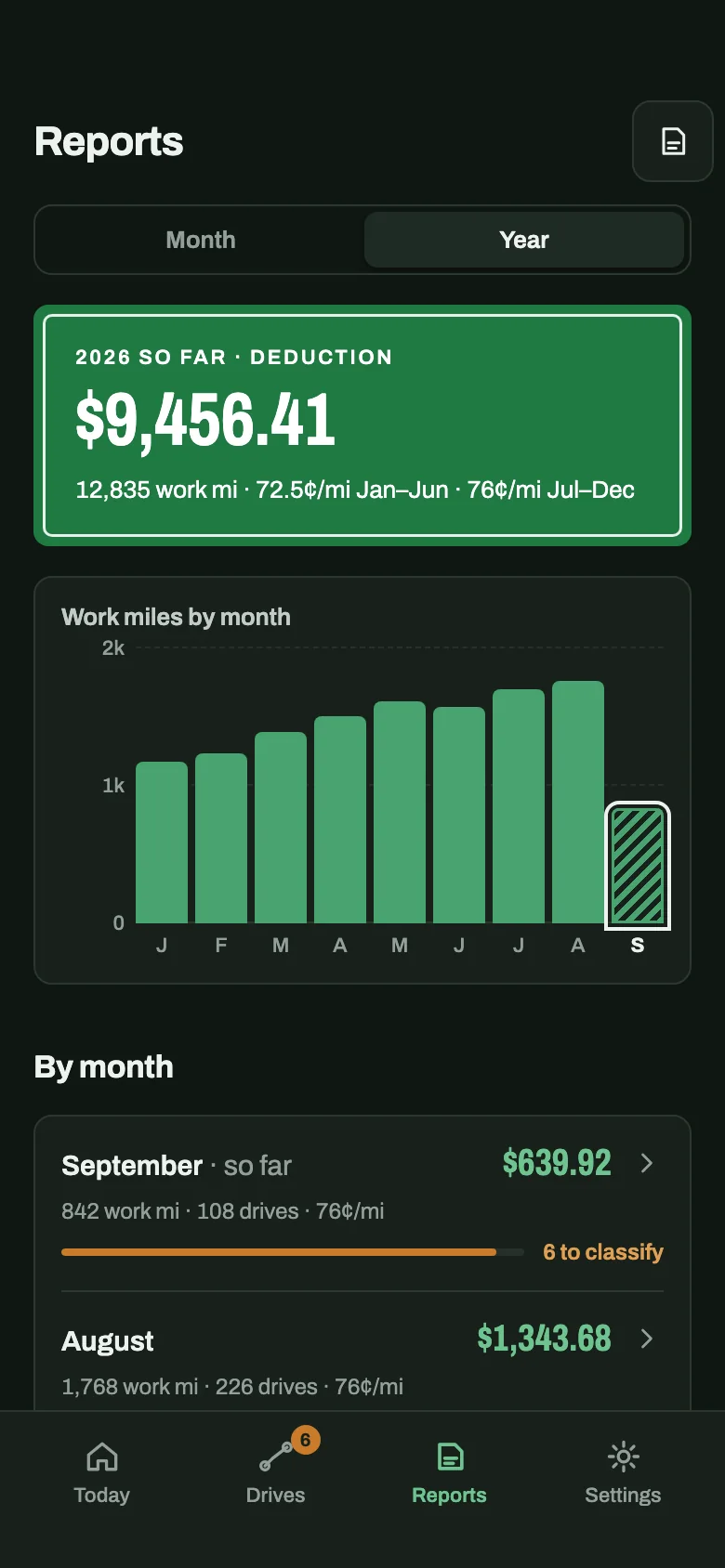
Every work drive is valued at the IRS rate for its own date, so the month and the year show a deduction you can check line by line — ready for tax time instead of rebuilt from memory.
Why every mile matters
At 76¢ a mile, 1,000 work miles is $760 of deduction — but only the miles that were written down count. CatchMile values each drive at the IRS rate in force on its own day and never averages the mid-year change.
Rates: IRS standard mileage rates · 72.5¢/mi Jan–Jun 2026 · 76¢/mi Jul–Dec 2026 · Not tax advice.
812 mi · Jan–Jun 2026 × 72.5¢/mi = $588.70
830 mi · Jul–Dec 2026 × 76¢/mi = $630.80


A safety net for the log
Phones kill background apps — a permission changed in an update, battery optimisation switched back on. CatchMile checks its own tracking and shows the cause in the app with the fix. Working hours with no drives are flagged as a gap, so you can add a drive you know you made.
What's inside
Date, start and end address, time and distance — for the drive to the hotspot as much as the drive to the customer. Nothing to start, nothing to stop.
One swipe per drive. Commute is its own category, because the IRS treats it differently.
Miles are recorded on the phone first and sync later, so a login or signal problem never costs you a drive.
The GPS switches on once you are moving, not while the phone sits in your pocket at the restaurant counter.
Carrying an order up to an apartment doesn't turn into a fake drive in your log.
Work miles by month and the year's deduction, each rate period on its own line.
Location permission, motion, battery optimisation, drives in your shift hours — each with the time it last passed.

Mileage by platform
Free for your first 40 drives. Then $13.99 a month or $139.99 a year — nothing you recorded is ever deleted.